 Join our WhatsApp Channel to Get Exclusive Offers & New Product Launches!
No products in the cart.
44%
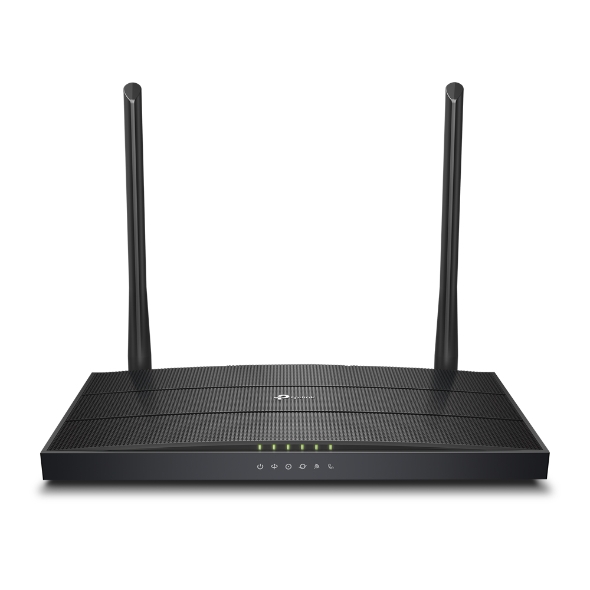
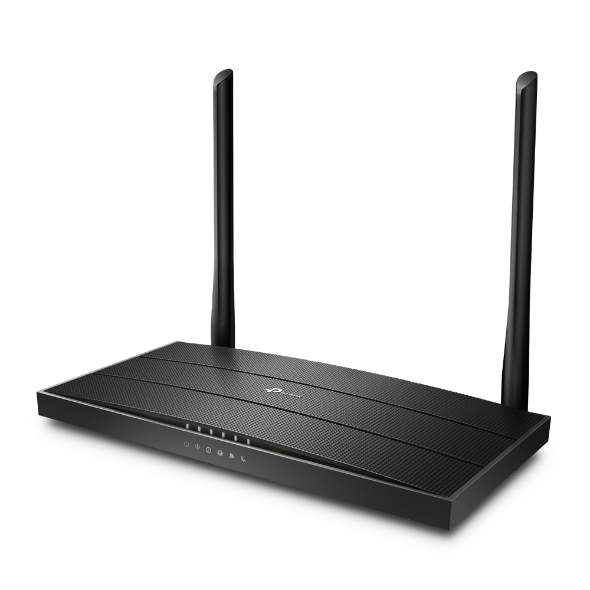
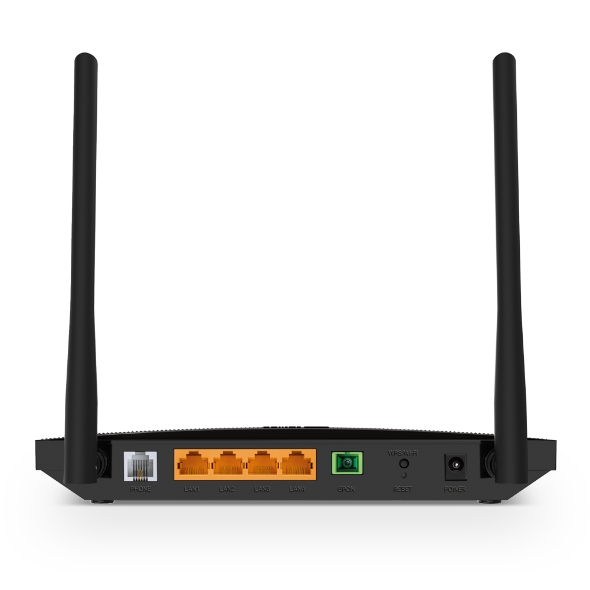
TP-Link XC220-G3v GPON/XPON ONT | AC1200 Dual-Band Wi-Fi | 4 Gigabit Ports | VoIP Support | 2.5Gbps GPON | EasyMesh | 3-Year Warranty | Ideal for BSNL & Airtel Fiber
Check delivery options in your location
In Stock
In Stock
Add to Wishlist
CompareAdd to Wishlist
Pick up from the tdebiz Store
To pick up today
0-1 Days
Free
Courier delivery
Our courier will deliver to the specified address
4-7 Days
Free
Porter / Rapido
Currently available only in Surat
0-1 Days
To be paid by consumer
Fast Delivery ( By Air )
We will ship from your product By Air to nearest center to speed up the delivery
2-4 Days
Start from Rs250 Extra
Description
TP-Link XC220-G3v | GPON/XPON ONT
The Ultimate Fiber Optic Solution for Indian Homes & Offices
TP-Link XC220-G3v GPON/XPON ONT is a high-performance fiber optic modem-router designed to replace your ISP-provided rental device. This XPON router is compatible with both GPON and EPON standards, making it universally compatible with most fiber networks, including BSNL FTTH, Airtel Xstream Fiber, Kerala Vision, and other Indian ISPs .
Whether you’re tired of paying monthly rental fees for ISP-supplied modems or seeking better performance for 4K streaming, online gaming, and work-from-home needs, the TP-Link XC220-G3v ONT delivers professional-grade connectivity at an affordable one-time cost.
| Feature | Specification |
|---|---|
| Technology | GPON/XPON (Compatible with both) |
| GPON Speed | Up to 2.488 Gbps Downstream / 1.244 Gbps Upstream |
| Wi-Fi Standard | AC1200 Dual-Band (Wi-Fi 5) |
| 2.4 GHz Speed | Up to 300 Mbps |
| 5 GHz Speed | Up to 867 Mbps |
| LAN Ports | 4× Gigabit (10/100/1000 Mbps) |
| VoIP Support | 1× RJ11 FXS Port (SIP Accounts up to 8) |
| Antennas | 2× External Dual-Band Antennas |
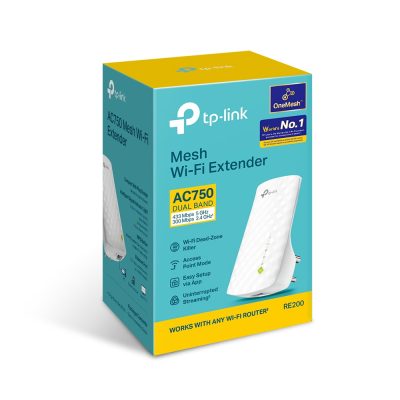
| Mesh Support | EasyMesh & OneMesh Compatible |
| Management | OMCI, TR-069, Web Interface |
| Security | WPA/WPA2, NAT Firewall, DoS Defense |
| Warranty | 3 Years |
Blazing Fast GPON Technology – Never Wait for Buffering
The TP-Link XC220-G3v GPON ONT complies with ITU-T G.984/G.988 GPON standards, supporting downstream data rates of up to 2.488 Gbps and upstream rates of up to 1.244 Gbps . This means your fiber connection operates at full potential without bottlenecks.
Unlike ISP-provided routers that often use older technology, the XC220-G3v ensures you get the speeds you pay for. Users confirm achieving full speeds: “getting 44mb of wifi on 60mb speed plan. Lan speed is 60 mb on 60mb speed plan” . Whether you’re streaming 4K content, attending Zoom meetings, or gaming online, this XPON router delivers smooth, lag-free performance.
AC1200 Dual-Band Wi-Fi – Connect More Devices, Faster
The TP-Link XC220-G3v features AC1200 dual-band Wi-Fi, delivering combined speeds of up to 1.2 Gbps. The 5 GHz band provides up to 867 Mbps for bandwidth-intensive activities like 4K streaming and gaming, while the 2.4 GHz band offers up to 300 Mbps for everyday browsing and connecting older devices .
With 2 external dual-band antennas and support for EasyMesh and OneMesh technologies, this wireless router ensures strong, seamless Wi-Fi coverage throughout your home . You can add compatible range extenders to create a whole-home mesh network without dead zones.
Full Gigabit Wired Connectivity – For Your Most Demanding Devices
Equipped with four Gigabit LAN ports, the TP-Link XC220-G3v delivers wired speeds up to 10x faster than standard Ethernet connections . Connect your gaming console, smart TV, desktop PC, or NAS drive directly to experience:
-
Lag-free online gaming with ultra-low latency
-
Buffer-free 4K streaming to your smart TV
-
Instant file transfers for work-from-home productivity
The GPON router also features a WPS/Wi-Fi button for one-touch wireless connection and a RESET button for easy troubleshooting .
VoIP Support – Make Crystal-Clear Calls Over Fiber
The TP-Link XC220-G3v ONT includes an RJ11 FXS port for connecting your analog telephone, allowing you to make and receive phone calls over your fiber internet connection . The device supports:
-
Up to 8 SIP accounts
-
Call hold, call forwarding, and do-not-disturb
-
3-party conferencing
-
Caller ID and speed dial
Important Note for BSNL Users: While the XC220-G3v works perfectly for internet with BSNL FTTH, VoIP configuration may require careful setup. Users report success by contacting BSNL support for proper MAC binding and using the correct SIP credentials . Some users have successfully enabled VoIP after working with their local BSNL team .
Easy Setup & Remote Management – ISP-Friendly Design
The TP-Link XC220-G3v supports OMCI (ONT Management and Control Interface) and TR-069 protocols, allowing ISPs to activate, configure, and manage the device remotely . This makes it an excellent choice for:
-
BSNL FTTH connections – Works with proper configuration
-
Airtel Xstream Fiber – Requires GPON serial number and PPPoE credentials
-
Local ISPs like Kerala Vision – Verified compatibility
For BSNL FTTH setup, ensure your ISP resets your old router’s MAC address before connecting the XC220-G3v . Once configured, the XPON router works seamlessly, delivering stable internet and (with proper setup) VoIP services .
Advanced Security & Parental Controls
Protect your home network with comprehensive security features on the TP-Link XC220-G3v:
| Security Feature | Function |
|---|---|
| NAT Firewall | Blocks unauthorized external access |
| DoS Attack Defense | Prevents denial-of-service attacks |
| MAC/IP/URL Filtering | Control which devices and sites can connect |
| WPA/WPA2 Encryption | Secures your wireless traffic |
| Access Control | Manage internet access for specific devices |
The GPON router also includes Parental Controls to manage children’s internet access and VLAN support (802.1q) for smooth IPTV streaming
What’s in the Box
TP-Link XC220-G3v GPON/XPON ONT, you receive :
-
TP-Link XC220-G3v Router Unit
-
RJ45 Ethernet Cable
-
Power Adapter (12V/1.5A)
-
Quick Installation Guide
-
Warranty Documents
| Interface | 4 10/100/1000 Mbps RJ45 LAN Ports 1 SC/APC PON Port 1 RJ11 FXS Port |
|---|---|
| Button | WPS/Wi-Fi Button, RESET Button |
| External Power Supply | 12V/1.0A |
| Antenna | 2 External Dual Band Antennas |
| Wireless Standards | IEEE 802.11ac/n/a 5 GHz, IEEE 802.11b/g/n 2.4 GHz |
|---|---|
| Frequency | 2.4 GHz and 5 GHz (not Supports DFS) |
| Signal Rate | 867 Mbps on 5 GHz, 300 Mbps on 2.4 GHz |
| Wireless Functions | Enable/Disable Wireless Radio, WDS Bridge, WMM, Wireless Statistics |
| Wireless Security | WPA/WPA2, WPA-PSK/WPA2-PSK encryptions |
| Transmission Power | 2.4 GHz: 26 dBm(EIRP), 5GHz: 27dBm (EIRP) |
| Wireless Schedule | Support 2.4 GHz and 5 GHz Wireless Schedule |
| Mesh Technology | EasyMesh Compatible, TP-Link OneMesh |
| Quality of Service | Hardware QoS |
|---|---|
| Advanced Features | Parental Control, Network Address Translation(NAT), Port Mapping(Grouping), Static Routing, DNS Relay, DDNS, IGMP V1/V2/V3 |
| Security | NAT Firewall, Access Control, MAC/IP/URL Filtering, IP and MAC Address Binding, Defense “Denial of Service (DoS), SYNFlooding, Ping of Death” |
| Management Features | Web Based Configuration(HTTP), Remote management, Command Line Interface, SSL for TR-069, Web Based Firmware Upgrade, Diagnostic Tools, OMCI |
| DHCP | Server, Client, DHCP Client List, Address Reservation, DHCP Relay |
| Port Forwarding | Virtual Server, Port Triggering, DMZ, ALG, UPnP |
| Dynamic DNS | DynDns, NO-IP |
| VPN Pass-Through | PPTP, L2TP, IPSec Pass-through |
| Protocols | Supports IPv4 and IPv6 |
| VOIP Features | Call hold, Call forward, Warm call, Do not disturb, Call restriction, Speed dial, etc. Caller ID, 3-party conference, SIP account – up to 8 accounts |
| Package Content | AC1200 Wireless VoIP XPON Router RJ45 Ethernet Cable Power Adapter Quick Installation Guide |
|---|---|
| System Requirements | Microsoft Windows 98SE, NT, 2000, XP, Vista™ or Windows 7, 8, 8.1, 10, MAC OS, NetWare, UNIX or Linux Internet Explorer 11, Firefox 12.0, Chrome 20.0, Safari 4.0, or other Java-enabled browser |
| Environment | Operating Temperature: 0℃~40℃ (32℉ ~104℉) Storage Temperature: -40℃~70℃ (-40℉ ~158℉) Operating Humidity: 10%~90% non-condensing Storage Humidity: 5%~90% non-condensing |



Reviews
There are no reviews yet.