 Join our WhatsApp Channel to Get Exclusive Offers & New Product Launches!
No products in the cart.
51%
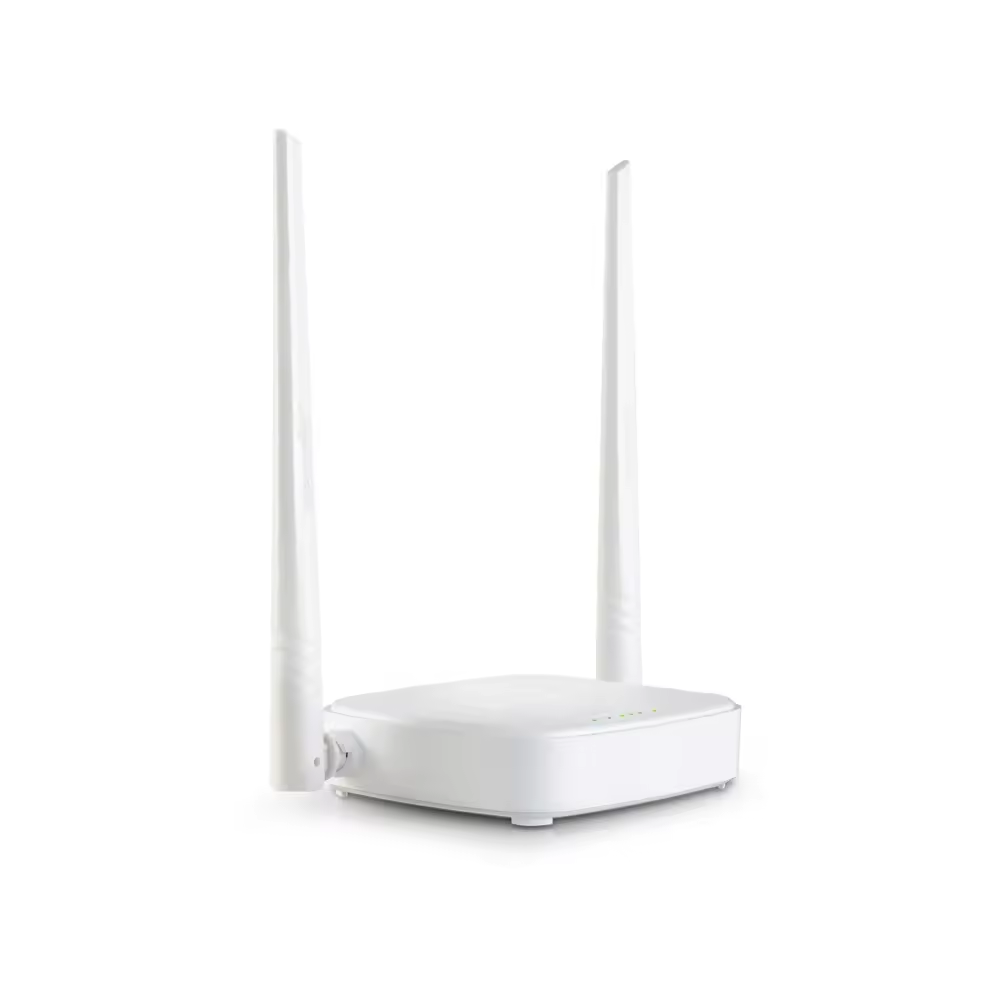
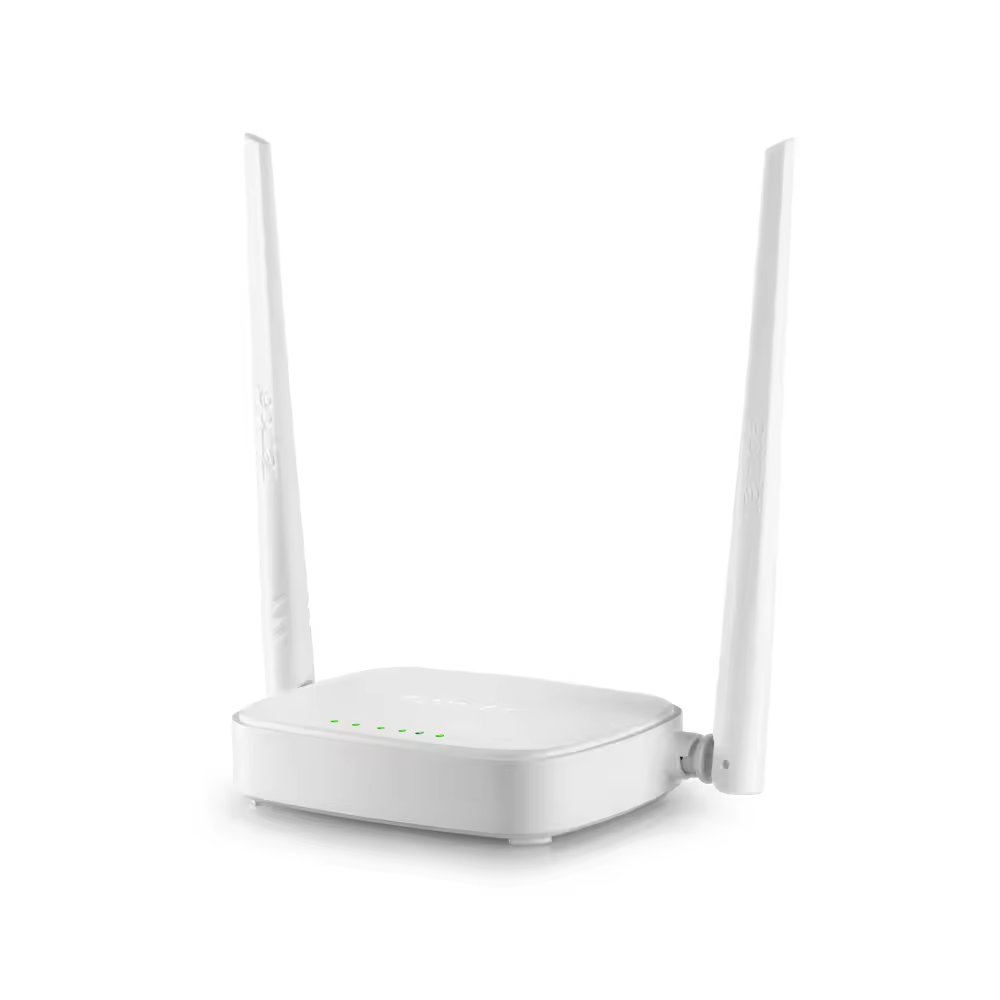
Tenda N301 Wireless-N300 Easy Setup Router | 300 Mbps Speed | 2× 5dBi Antennas | WPS Button | Parental Controls | WISP Client Mode | 3-Year Warranty | Ideal for Home & Small Office
Check delivery options in your location
In Stock
In Stock
Add to Wishlist
CompareAdd to Wishlist
Pick up from the tdebiz Store
To pick up today
0-1 Days
Free
Courier delivery
Our courier will deliver to the specified address
4-7 Days
Free
Porter / Rapido
Currently available only in Surat
0-1 Days
To be paid by consumer
Fast Delivery ( By Air )
We will ship from your product By Air to nearest center to speed up the delivery
2-4 Days
Start from Rs250 Extra
Description
Tenda N301 Wireless-N300 Easy Setup Router
Reliable, Affordable, and Incredibly Easy to Set Up
Tenda N301 Wireless-N300 Easy Setup Router is a budget-friendly networking solution designed specifically for home users who want reliable Wi-Fi without complicated setup processes . This N300 router delivers wireless speeds of up to 300 Mbps on the 2.4 GHz band, making it perfect for everyday online activities like web browsing, email, social media, HD video streaming, and online gaming .
Key Features
| Feature | Specification |
|---|---|
| Wireless Standard | IEEE 802.11b/g/n (Wi-Fi 4) |
| Wireless Speed | Up to 300 Mbps |
| Frequency Band | 2.4 GHz (Single Band) |
| Antennas | 2× Fixed 5dBi Omni-Directional Antennas |
| Ethernet Ports | 1× WAN + 3× LAN (10/100 Mbps) |
| Buttons | WPS Button, Reset Button |
| Security | 64/128-bit WEP, WPA-PSK, WPA2-PSK |
| Parental Controls | Client Filter, MAC Filter, Website Filter |
| Operating Modes | Router, WISP Client, Universal Repeater, WDS Bridge |
| Management | Web Interface (192.168.0.1 or tendawifi.com) |
| Default Login | admin / admin |
| Warranty | 3 Years |
Incredibly Easy Setup – 3 Simple Steps
As the name suggests, the Tenda N301 Wireless-N300 Easy Setup Router lives up to its promise of hassle-free installation. Tenda has designed this easy setup router with home users in mind, eliminating the technical complexity that often comes with networking equipment .
Setup in 3 easy steps:
-
Connect the Tenda N301 to your modem or broadband line
-
Power on the router and connect your device to the default Wi-Fi (SSID printed on the router label)
-
Open a browser, enter tendawifi.com or 192.168.0.1, and follow the setup wizard
The setup wizard automatically detects your internet connection type (Dynamic IP, PPPoE, or Static IP) and guides you through creating your Wi-Fi name and password . Within minutes, you’ll have a secure wireless network up and running.
Default login credentials: IP Address: 192.168.0.1, Username: admin, Password: admin
Reliable 300 Mbps Wireless Performance
Tenda N301 Wireless-N300 Easy Setup Router provides ample bandwidth for all your daily internet activities. With 300 Mbps wireless speeds on the 2.4 GHz band, you can seamlessly:
-
Browse websites and check emails
-
Stream HD videos on YouTube, Netflix, and Amazon Prime
-
Download large files without frustrating delays
-
Connect multiple devices simultaneously
The 2× fixed 5dBi omni-directional antennas deliver strong, stable Wi-Fi coverage, making this N300 router perfect for small to medium-sized homes, apartments, and small office spaces . The antennas work together to penetrate walls and eliminate dead zones.
Coverage estimate: Up to 2,000-3,000 sq. ft.
One-Button Security with WPS – Secure WiFi at a Push
Tired of remembering complex Wi-Fi passwords? The Tenda N301 features a convenient WPS (Wi-Fi Protected Setup) button that allows you to connect compatible wireless devices with a single press .
Not only is this faster than normal security setups, but it’s also more convenient because you don’t need to remember or type a password. Simply press the WPS button on the router, then press WPS on your device, and the connection is automatically established with the highest level of security .
For manual setup, Tenda N301 Wireless-N300 Easy Setup Router offers multi-level wireless encryption options to prevent unauthorized access and protect your important data, including 64/128-bit WEP, WPA-PSK, and WPA2-PSK encryption .
Parental Controls – Keep Your Family Safe Online
The Tenda N301 Wireless Router includes built-in parental control features that give you control over your children’s internet access .
Parental Control capabilities include:
| Feature | Function |
|---|---|
| Client Filter | Block specific devices from accessing the internet |
| MAC Filter | Control which devices can connect to your network |
| Website Filter | Block inappropriate or harmful websites |
| Time Controls | Define specific hours for internet access |
These parental controls help you protect your children from harmful online content and manage their screen time without requiring additional software or subscriptions .
4-in-1 Versatile Operating Modes
One of the standout features of the Tenda N301 is its ability to operate in four different modes, making it one of the most versatile routers in its price range :
| Mode | Function | Best For |
|---|---|---|
| Router Mode (Default) | Connects to modem via Ethernet, creates private Wi-Fi network | Primary home/office router |
| WISP Client Mode | Connects to ISP network wirelessly | Areas without wired internet service |
| Universal Repeater Mode | Boosts existing wireless coverage | Eliminating Wi-Fi dead zones |
| WDS Bridge Mode | Connects multiple access points | Expanding network coverage |
This multi-mode functionality means the Tenda N301 Wireless-N300 Easy Setup Router can adapt to your changing needs – whether you’re setting up a new home network, eliminating Wi-Fi dead zones, or connecting to a wireless ISP .
WISP Client Mode – Connect to Wireless ISPs
The WISP (Wireless Internet Service Provider) Client Mode is a particularly valuable feature for users in areas where wired broadband is unavailable . In this mode, the Tenda N301 can:
-
Connect wirelessly to your ISP’s network
-
Share the internet connection with all your devices
-
Eliminate the need for wired infrastructure
What’s in the Box
Tenda N301 Wireless-N300 Easy Setup Router, you receive:
-
Tenda N301 Router Unit
-
Power Adapter
-
RJ45 Ethernet Cable
-
Quick Installation Guide
Technical Specifications
| Category | Specification |
|---|---|
| Wireless | |
| Standards | IEEE 802.11n/g/b |
| Speed | Up to 300 Mbps |
| Frequency | 2.4 GHz |
| Antennas | 2× Fixed 5dBi Omni-Directional |
| Coverage | 2,000-3,000 sq. ft. |
| Ethernet Ports | |
| WAN Port | 1× 10/100 Mbps |
| LAN Ports | 3× 10/100 Mbps |
| Operating Modes | Router, WISP Client, Universal Repeater, WDS Bridge |
| Security | |
| Wireless Encryption | 64/128-bit WEP, WPA-PSK, WPA2-PSK |
| Parental Controls | Client Filter, MAC Filter, Website Filter |
| WPS Button | Yes |
| Management | |
| Web Interface | 192.168.0.1 or tendawifi.com |
| Default Username | admin |
| Default Password | admin |
| Physical | |
| Dimensions | 127.4 × 90.5 × 26 mm |
| Weight | 318.6 g |
| Color | White |
| Power | |
| Power Supply | 9V DC Adapter |
| Environmental | |
| Operating Temperature | 0°C to 40°C |
| Storage Temperature | -40°C to 70°C |
| Humidity | Up to 90% RH |
| Warranty | |
| Warranty Period | 3 Years |
| Certifications | FCC, CE, RoHS |



Reviews
There are no reviews yet.